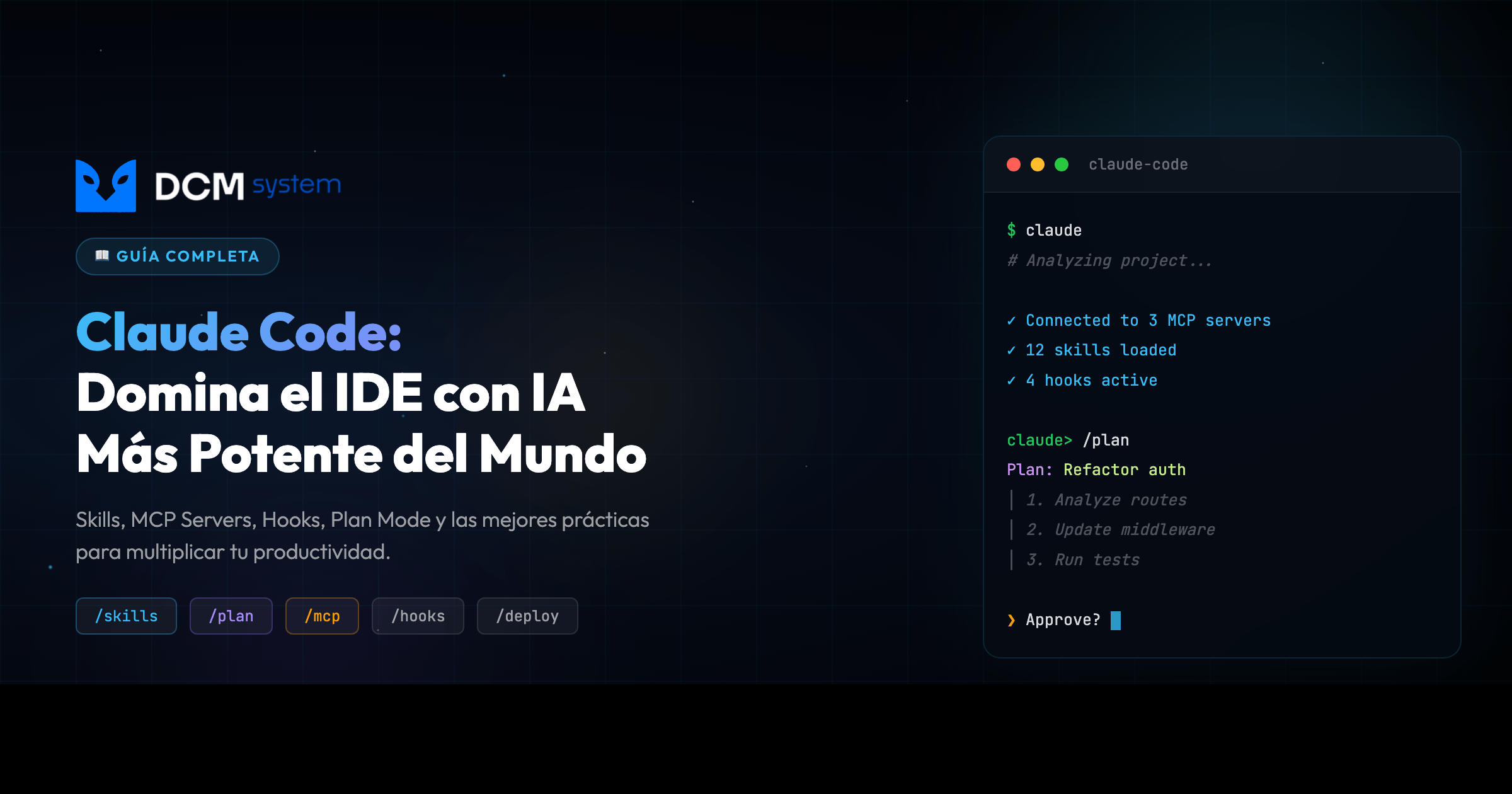
Claude Code en Producción
Configura el agente de IA que multiplica tu velocidad sin abrir nuevos vectores de ataque.
[DATO REAL]: Después de +12 meses usando Claude Code en producción, un skill de automatización de release bien configurado ahorra mínimo 20 minutos por deploy — y elimina los pasos de checklist que alguien siempre se salta. (DCM System, 2024-2026)
En este artículo vas a:
- Entender qué hace diferente a Claude Code de “otro chatbot más”
- Configurar Skills, MCP Servers, Hooks y Plan Mode con ejemplos reales
- Evitar los 8 errores que nos costaron clientes y horas de debugging
- Replicar el flujo exacto que usa DCM System en proyectos de producción
01 EL PROBLEMA REAL
Dos de la mañana. Un endpoint en producción devuelve 500. El tipo de bug que solo aparece con datos reales porque en local todo es perfecto, como siempre. Le di el stack trace a Claude Code, le apunté al archivo sospechoso, y en 40 segundos encontró un edge case en la validación de emails con caracteres especiales — un bypass de validación que llevaba semanas silencioso. Eso me habría costado otra hora mínimo.
Ahí dejé de tratarlo como “otro chatbot” y empecé a tratarlo como lo que es: una herramienta seria que, bien configurada, multiplica todo lo que hacés. Mal configurada, te abre la superficie de ataque.
PIÉNSALO ASÍ
Claude Code sin configurar es como un consultor que llega el primer día sin saber nada del proyecto. Con un
CLAUDE.mdbien escrito y skills personalizados, es alguien que ya hizo el reconocimiento completo: sabe dónde están los archivos críticos, qué convenciones seguís, qué no debe tocar. La diferencia entre un junior perdido y un senior productivo.
Antes El costo Después Claude Code sin configurar Respuestas genéricas, contexto perdido cada sesión CLAUDE.md+ Skills: agente que conoce tu codebasePlan Mode desactivado Bug silencioso en módulo de IVA — clientes facturados mal Plan Mode obligatorio: Claude analiza antes de tocar nada
02 POR QUÉ PASA
La mayoría usa Claude Code como un chatbot de lujo: le pasan código, piden que “lo arregle”, y confían en que el resultado está bien. Eso produce tres problemas reales:
Código generado sin revisión: Claude generó una query que funcionaba en desarrollo pero en producción, con 50K registros, era un full table scan que tumbaba la base de datos. Sin revisión humana, ese tipo de bug pasa.
Sin Plan Mode: En un proyecto de facturación electrónica, dejamos que Claude refactorizara un módulo de impuestos sin plan previo. Tests en verde. Todo bien. Excepto que rompió silenciosamente un cálculo de IVA que solo se manifestó cuando un cliente reportó facturas mal calculadas. Un bug silencioso, el más peligroso.
Configuración por defecto = superficie de ataque abierta: Permisos amplios (Edit(src/**), Bash(*)), secrets hardcodeados en mcp.json, modo auto en entornos sensibles. La herramienta que te ayuda con el código puede, mal configurada, ejecutar comandos sin confirmación a las 2am cuando estás cansado.
03 LA SOLUCIÓN
Claude Code es un agente autónomo que puede leer y editar múltiples archivos, ejecutar comandos en tu terminal, crear commits y pull requests, buscar en tu codebase con regex avanzado, y conectarse a bases de datos y APIs externas. Corre como CLI, app de escritorio (Mac/Windows), app web en claude.ai/code, y extensión para VS Code y JetBrains.
La flexibilidad de saltar entre terminal, escritorio, navegador o IDE sin perder el hilo importa en un CTF o en un deploy de emergencia.
Instalación
npm install -g @anthropic-ai/claude-code
cd tu-proyecto
claude
claude /init
Cuando corrés /init, Claude escanea tu proyecto y crea un CLAUDE.md con contexto sobre tu arquitectura, stack y convenciones. Ese archivo es oro — es el reconocimiento completo del terreno antes de operar.
Comandos esenciales
Gestión de sesión:
| Comando | Función |
|---|---|
/help |
Mostrar todos los comandos disponibles |
/clear |
Limpiar historial de conversación |
/compact |
Comprimir conversación para ahorrar tokens |
/cost |
Ver costo acumulado de la sesión |
/memory |
Ver y editar la memoria persistente |
Desarrollo:
| Comando | Función |
|---|---|
/plan |
Entrar en modo planificación (analiza antes de editar) |
/checkpoint |
Crear o restaurar puntos de guardado |
/pr |
Crear o revisar pull requests |
/review |
Revisar un PR de GitHub con análisis detallado |
/commit |
Crear commit con mensaje descriptivo |
Configuración:
| Comando | Función |
|---|---|
/init |
Inicializar CLAUDE.md para el proyecto |
/mcp |
Gestionar servidores MCP (bases de datos, APIs) |
/hooks |
Configurar automatizaciones pre/post acciones |
/skills |
Listar y gestionar skills personalizados |
Atajos de teclado — la diferencia entre 3 segundos y 0.3 segundos, repetida 200 veces al día, son minutos de tu vida:
| Atajo | Acción |
|---|---|
Ctrl+C |
Cancelar operación actual |
Ctrl+D |
Salir de la sesión |
Shift+Enter |
Nueva línea sin enviar |
Ctrl+R |
Buscar en historial |
Ctrl+A / Ctrl+E |
Inicio / fin de línea |
Ctrl+U |
Borrar línea completa |
En VS Code: Cmd+Shift+L. En JetBrains: Ctrl+Shift+L.
Skills: superpoderes personalizados
Los skills son módulos reutilizables — archivos Markdown con instrucciones que Claude sigue cuando los activás. Viven en .claude/skills/ (proyecto) o ~/.claude/skills/ (global). Es un runbook que se ejecuta solo.
# .claude/skills/code-review/prompt.md
---
name: Code Review de Seguridad
trigger: "/security-review"
---

Eres un asistente de seguridad. Analiza el código buscando:

1. **Inyección SQL** — queries sin parametrizar
2. **XSS** — inputs sin sanitizar en el DOM
3. **Secrets expuestos** — tokens, passwords en código
4. **OWASP Top 10** — todas las vulnerabilidades comunes
5. **Dependencias vulnerables** — paquetes desactualizados

Para cada hallazgo: Severidad, Archivo y línea, Código vulnerable, Corrección recomendada.

IMPORTANTE: Este análisis es primera línea de defensa, NO reemplazo de auditoría profesional.
Nota crítica: Un skill de security review con IA es como un sistema de alarmas: te avisa de muchas cosas, pero un atacante profesional lo puede evadir. Los LLMs tienen falsos negativos y falsos positivos. Complementá siempre con herramientas SAST/DAST (Semgrep, Snyk, SonarQube), auditorías manuales, y pen testing periódico.
Ejemplos de skills que podés armar para tu equipo:
| Skill | Propósito |
|---|---|
/code-review |
Revisión de calidad y mejores prácticas |
/test-generator |
Generar tests unitarios desde un archivo |
/commit-smart |
Mensajes de commit descriptivos automáticos |
/api-design |
Revisión de diseño REST/GraphQL |
/refactor |
Sugerencias de refactorización |
/docs-sync |
Actualizar documentación desde el código |
La ventaja: cada equipo arma su propio set según su stack y convenciones. No hay un “skill correcto” — hay el skill que resuelve TU dolor repetitivo.
También podés crear meta-skills que agrupan varios relacionados bajo un mismo trigger:
# .claude/skills/fullstack-review/prompt.md
---
name: Fullstack Review
trigger: "/fullstack-review"
---

Activa una revisión completa del cambio:
- Code review de backend (seguridad + arquitectura)
- Code review de frontend (accesibilidad + performance)
- Verificación de tests unitarios y de integración
- Revisión de documentación actualizada
MCP Servers: conecta Claude a tu infraestructura
El Model Context Protocol (MCP) transforma a Claude de “asistente que lee código” a “agente que opera dentro de tu infraestructura”. Es escalar privilegios, pero de forma controlada y legítima.
{
  "mcpServers": {
    "postgres": {
      "command": "npx",
      "args": ["@modelcontextprotocol/server-postgres"],
      "env": {
        "DATABASE_URL": "${DATABASE_URL}"
      }
    },
    "github": {
      "type": "http",
      "url": "https://api.github.com/mcp"
    }
  }
}
Importante: Nunca hardcodees credenciales en archivos de configuración. El archivo
.claude/mcp.jsonpuede acabar en tu repositorio. Tratá su contenido como si fuera público, porque eventualmente lo será. Usá variables de entorno (${DATABASE_URL}),.envexcluido de git, o HashiCorp Vault.
Servidores MCP populares:
| Servidor | Qué hace |
|---|---|
| PostgreSQL | Consultas directas a tu base de datos |
| GitHub | Gestión de repos, issues y PRs |
| Slack | Enviar mensajes y notificaciones |
| Sentry | Monitoreo de errores en producción |
| n8n | Automatización de workflows |
Le podés decir: “Mostrá los últimos 10 errores de Sentry y buscá en el código la causa raíz” — Claude va a Sentry, jala los errores, busca en tu codebase, correlaciona, y propone un fix. Sin que vos cambiés de pestaña.
Hooks: automatización inteligente
Los hooks interceptan las acciones de Claude antes o después de cada operación. Si alguna vez configuraste git hooks o middleware en un servidor web, es exactamente eso.
Eventos disponibles:
| Evento | Cuándo se activa |
|---|---|
PreToolUse |
Antes de ejecutar cualquier herramienta |
PostToolUse |
Después de ejecutar una herramienta |
SessionStart |
Al iniciar una nueva sesión |
UserPromptSubmit |
Antes de procesar tu mensaje |
FileChanged |
Cuando un archivo se modifica externamente |
Auto-formatear después de editar:
{
  "hooks": {
    "PostToolUse": [
      {
        "matcher": "Edit",
        "hooks": [{
          "type": "command",
          "command": "npx prettier --write \"${FILE_PATH}\""
        }]
      }
    ]
  }
}
Proteger archivos de producción:
{
  "hooks": {
    "PreToolUse": [
      {
        "matcher": "Bash",
        "hooks": [{
          "type": "command",
          "command": "./scripts/protect-production.sh"
        }]
      }
    ]
  }
}
Seguridad en hooks: Siempre encerrá las variables como
${FILE_PATH}entre comillas dobles. Un nombre de archivo malicioso comofile; rm -rf /ejecutaría comandos arbitrarios sin sanitización. Los hooks corren comandos reales en tu sistema — tratalos con el mismo rigor que un script de CI/CD con permisos elevados.
Plan Mode: pensá antes de actuar
Desde el incidente del módulo de IVA, Plan Mode es obligatorio para cualquier cosa no trivial.
Cuándo usarlo: refactorizaciones multi-archivo, cambios arquitecturales, código sensible a seguridad, primera vez en un codebase desconocido.
/plan

# O permanentemente en settings.json:
{
  "permissions": {
    "default": "plan"
  }
}
Flujo: Claude analiza los archivos afectados → presenta plan paso a paso → vos revisás → Claude ejecuta → podés pausar en cualquier momento. Los 5 minutos de revisión te ahorran horas de debugging.
CLAUDE.md: tu manual de instrucciones
Después de meses de uso, el CLAUDE.md es probablemente lo más importante de toda la configuración:
| Archivo | Alcance |
|---|---|
~/.claude/CLAUDE.md |
Global — todas tus sesiones |
PROYECTO/CLAUDE.md |
Proyecto — solo este repositorio |
.claude/rules/*.md |
Reglas modulares por dominio |
Ejemplo profesional:
# Proyecto: API de Facturación

## Stack
- Node.js 20 + TypeScript 5.4
- PostgreSQL 16 con Prisma ORM
- Express.js + Zod para validación

## Convenciones
- Async/await (nunca callbacks)
- Variables en camelCase, archivos en kebab-case
- Todos los endpoints requieren autenticación

## Seguridad (OBLIGATORIO)
- NUNCA hardcodear secrets en código
- Toda query SQL debe usar parámetros
- Validar TODOS los inputs con Zod
- Rate limiting en todos los endpoints públicos

## Deploy
- Staging: branch develop → auto-deploy
- Producción: PR a main → aprobación requerida
04 MEJORES PRÁCTICAS DE SEGURIDAD Y CÓDIGO
Un agente con acceso a tu codebase, tu base de datos y tu terminal es poder real. Y el poder real exige disciplina real. Estas son las prácticas que convierten a Claude Code de “juguete productivo” en herramienta de producción segura.
Seguridad: tratá al agente como un usuario privilegiado
1. Principio de mínimo privilegio
Claude Code NO necesita acceso a todo tu sistema. Configurá permisos quirúrgicos en settings.json:
{
  "permissions": {
    "default": "plan",
    "allow": {
      "Edit": ["src/**", "tests/**", "docs/**"],
      "Bash": ["npm test", "npm run lint", "git status", "git diff"]
    },
    "deny": {
      "Edit": [".env*", ".claude/mcp.json", "**/secrets/**"],
      "Bash": ["rm -rf *", "git push", "curl * | sh", "sudo *"]
    }
  }
}
El default: plan hace que cualquier acción no listada requiera tu aprobación explícita. Las deny lists son absolutas — ni siquiera en modo auto puede saltárselas.
2. Secrets management: la regla de oro
Nunca hardcodees credenciales. Ni siquiera “temporalmente”. Los repositorios se clonan, los backups se filtran, los colaboradores cambian:
# ❌ MAL — credencial en claro
DATABASE_URL="postgres://admin:Pass123@prod-db:5432/app"

# ✅ BIEN — referencia a variable de entorno
DATABASE_URL="${DATABASE_URL}"  # valor en .env excluido de git
Para equipos: HashiCorp Vault, AWS Secrets Manager, Doppler o 1Password CLI. Para solo: .env con .gitignore estricto, pre-commit con Gitleaks, y rotación periódica.
3. MCPs con scope mínimo
Cuando conectás MCPs a bases de datos, creá un usuario específico de solo lectura:
-- Usuario readonly para el MCP de Claude
CREATE USER claude_readonly WITH PASSWORD 'rotate-monthly';
GRANT CONNECT ON DATABASE production TO claude_readonly;
GRANT USAGE ON SCHEMA public TO claude_readonly;
GRANT SELECT ON ALL TABLES IN SCHEMA public TO claude_readonly;
-- Sin INSERT, UPDATE, DELETE, TRUNCATE, DROP
Si Claude “necesita escribir”, escribe vía PR en código versionado — no con query directa a producción.
4. Audita tus hooks como código productivo
Los hooks ejecutan comandos reales en tu máquina en cada operación. Son código que corre sin revisión humana. Tratalos con el mismo rigor que tu pipeline de CI/CD:
- Siempre encerrá variables entre comillas dobles (
"$VAR", nunca$VAR) — un nombre de archivo con; rm -rf /ejecuta comandos arbitrarios - Usá rutas absolutas a scripts (
/usr/local/bin/..., no./scripts/...) - Loggea cada invocación para auditoría forense
- Los hooks se versionan en git — revisalos en PR como cualquier otro cambio
5. Plan Mode obligatorio en zonas sensibles
Configurá Plan Mode como default en repositorios con código crítico (auth, pagos, datos personales, infraestructura):
{
  "permissions": {
    "default": "plan"
  },
  "autoApprove": false
}
Los 60 segundos extra de revisión del plan son el seguro más barato contra una refactorización que rompe el cálculo de impuestos en silencio.
6. Logs de sesión y auditoría
Activá el log completo de cada sesión. Si algo sale mal, necesitás saber exactamente qué pidió el agente, qué ejecutó y qué respondió:
{
  "logging": {
    "sessionLog": true,
    "logPath": "~/.claude/logs/",
    "redactSecrets": true
  }
}
En equipos regulados (fintech, salud), esos logs son evidencia para auditorías de cumplimiento (SOC 2, ISO 27001, HIPAA).
7. Supply chain: revisá los MCPs de terceros
Un MCP de terceros es código que corre con acceso a tu infraestructura. Antes de instalar uno:
- ¿Quién lo mantiene? ¿Es el autor oficial del servicio o un tercero?
- ¿Cuándo fue la última actualización? ¿Tiene CVE abiertos?
- ¿Qué permisos pide? ¿Lee más de lo necesario?
- ¿Lo escaneaste con
npm audit/pip-audit/trivyantes de correrlo?
Preferí MCPs oficiales. Cuando uses uno de la comunidad, pinealo a un hash específico — no a latest.
Programación: disciplina que multiplica la IA
1. Plan Mode primero, código después
Antes de cualquier cambio no trivial: /plan. Dos minutos de planificación tienen costo cero comparado con revertir un refactor que rompió tres módulos. La IA es rápida ejecutando — vos sos quien valida que lo ejecutado sea lo correcto.
2. Commits atómicos, no “mega-commits”
Un commit = un cambio lógico. No aceptés de Claude “todo mi refactor en un commit gigante”:
# ❌ MAL
git commit -m "refactor completo del módulo de auth + tests + docs"

# ✅ BIEN — cambios atómicos, revisables, reversibles
git commit -m "refactor(auth): extract token validation to service"
git commit -m "test(auth): add coverage for token edge cases"
git commit -m "docs(auth): update JWT flow diagram"
Si algo rompe, revertís el commit específico — no perdés las mejoras colaterales. Conventional Commits (feat:, fix:, refactor:) te dan historial auto-documentado.
3. Tests antes del refactor, siempre
Pedile a Claude explícitamente: “Antes de refactorizar, asegurate de que los tests existentes cubren el comportamiento crítico. Si no, escribí los tests primero y corrélos en verde. Solo entonces refactorizá.” Es TDD forzado a un agente que, sin disciplina, te va a borrar tests “por limpieza”.
4. Revisión humana obligatoria
Todo output de IA pasa por revisión humana antes de mergear. Sin excepciones. Configurá tu repo con branch protection:
- PRs requieren 1+ aprobaciones humanas
- Bloqueo de push directo a
main - CI corre tests, linter y type checker antes de permitir merge
- Escaneo de secrets en pre-commit (Gitleaks, TruffleHog, git-secrets)
- Análisis estático (Semgrep, SonarQube) y de dependencias (Snyk, Dependabot)
5. CLAUDE.md como fuente única de verdad
El CLAUDE.md no es documentación pasiva — es configuración activa del agente. Cuando cambian las reglas del proyecto, se actualiza en el mismo PR. Cuando alguien entra al equipo, es lo primero que lee. Cuando Claude se equivoca, es lo primero que revisás para ver qué contexto le faltó.
6. Skills específicos, no “mega-skills”
Un skill que hace 20 cosas se vuelve impreciso y difícil de mantener. Preferí skills atómicos:
❌ /full-review (code + security + tests + docs + deploy)
✅ /code-review   → revisión de calidad
✅ /security-scan → solo seguridad
✅ /test-coverage → solo cobertura
La composición es más poderosa que el monolito. Igual que en arquitectura de software: funciones pequeñas, bien nombradas, con una sola responsabilidad.
7. Checkpoints antes de operaciones destructivas
Antes de cualquier refactor grande, migración de base de datos o cambio arquitectural:
/checkpoint save "pre-refactor-auth-$(date +%Y%m%d-%H%M)"
Si algo explota, /checkpoint restore te devuelve a un estado conocido sano en un segundo. Es git stash, pero para el estado completo del agente (contexto, archivos, configuración).
8. Nunca desactivés los hooks de pre-commit
Los flags --no-verify, --no-gpg-sign existen para emergencias reales, no para “a Claude le dio error el linter”. Si el pre-commit falla, arreglá la causa raíz — no la silenciés. Un commit mal formado es deuda técnica; un commit sin firmar es un problema de trazabilidad que te va a doler en la próxima auditoría.
9. Context window management
Los LLMs degradan con contextos muy largos. Cuando una sesión pasa las 2-3 horas, Claude empieza a “olvidar” decisiones tomadas al inicio. Estrategia:
/compactcada hora para comprimir conversación sin perder contexto clave/clear+ nuevoCLAUDE.mdactualizado cuando cambia el dominio del problema- Sesiones cortas y enfocadas > sesiones maratón
10. Error handling, no error hiding
Cuando Claude genera código, revisá específicamente el manejo de errores. Los LLMs tienden a:
- Envolver todo en
try/catchvacíos que silencian errores reales - Loggear y continuar cuando deberían fallar rápido (
fail-fast) - Inventar códigos de error HTTP (404 para errores de validación que son 400)
Pedile explícitamente: “No silencies errores. Si algo puede fallar, propagá el error con contexto. Si tiene que cortar el flujo, cortalo.”
REGLA DE ORO
Un agente de IA con acceso a tu infraestructura es como un nuevo miembro del equipo en su primer día: puede hacer mucho bien o mucho daño, según cuánto contexto y cuántos límites le diste. La configuración de seguridad NO es opcional — es el trabajo mismo. Si no tenés tiempo para configurar permisos, tampoco tenés tiempo para debuggear un
rm -rf /a las 3am.
05 CÓMO IMPLEMENTARLO
- Instalá Claude Code y corrés
/initen tu proyecto principal - Escribí tu
CLAUDE.mdcon stack, convenciones y reglas de seguridad — invertí al menos 30 minutos, te los devuelve multiplicados por diez en la primera semana - Configurá permisos en
settings.jsonaplicando mínimo privilegio:Editsolo a los directorios que Claude debe tocar,denyexplícito pararm,git push, y archivos de secrets - Creá tu primer skill atómico — elegí la tarea que más repetís (code review, tests, commits descriptivos) y automatizala
- Conectá al menos un servidor MCP (PostgreSQL readonly o Sentry si ya los usás) para que Claude opere dentro de tu infraestructura con scope limitado
- Activá Plan Mode como default en
settings.json— hacelo obligatorio para refactorizaciones y cambios arquitecturales, no opcional - Configurá branch protection en tu repo: PR reviews + CI + escaneo de secrets antes de cualquier merge
06 ¿ES PARA TI?
Sí, si tu empresa:
- ✅ Tiene un equipo de desarrollo que hace deploys frecuentes y quiere eliminar los pasos de checklist que siempre alguien se salta
- ✅ Trabaja con codebases grandes (200+ archivos) donde el reconocimiento de contexto se vuelve cuello de botella
- ✅ Tiene disciplina técnica para configurar permisos correctamente y revisar lo que el agente genera
No, si:
- ❌ No tenés ningún desarrollador en el equipo — Claude Code amplifica lo que el ingeniero ya sabe; si sabes poco, amplifica poco
- ❌ Buscás una herramienta que reemplace la revisión humana — el modo
autosin supervisión en producción es una bomba de tiempo, y los skills de security review tienen falsos negativos reales
Preguntas frecuentes
¿Cuánto cuesta Claude Code?
Requiere suscripción a Claude (desde USD $20/mes el plan Pro). El costo de API varía según uso — el comando /cost te muestra el acumulado de la sesión. Para equipos, hay planes Team y Enterprise.
¿Es seguro darle acceso a mi base de datos?
Con la configuración correcta, sí. Usás variables de entorno para las credenciales, restringís los permisos del usuario de BD que usa Claude, y lo monitoreás. Mal configurado — credenciales hardcodeadas en mcp.json, modo auto sin restricciones — sí es un riesgo real.
¿Qué pasa si Claude rompe algo?
Para eso son los checkpoints. Antes de cualquier refactorización grande, creás uno: /checkpoint save "Antes del refactor de auth". Si algo sale mal, restaurás en un segundo. Claude también crea checkpoints automáticos antes de ediciones masivas, pero no te confiés solo en eso.
¿Se puede usar en equipo?
Sí. El CLAUDE.md se versiona en git y se revisa en PRs. Los skills y hooks también. Cualquier archivo que controla el comportamiento del agente es configuración de seguridad — tratalos como tal.
Acción inmediata: Instalá Claude Code, corrés /init en tu proyecto principal, y escribís el CLAUDE.md hoy. No el skill, no el MCP, no los hooks — solo el CLAUDE.md. Media hora. Es el cambio con mayor retorno de toda la configuración.
¿Quieres ayuda? → Habla con DCM — llevamos +12 años construyendo software seguro y usamos IA como herramienta, no como reemplazo.