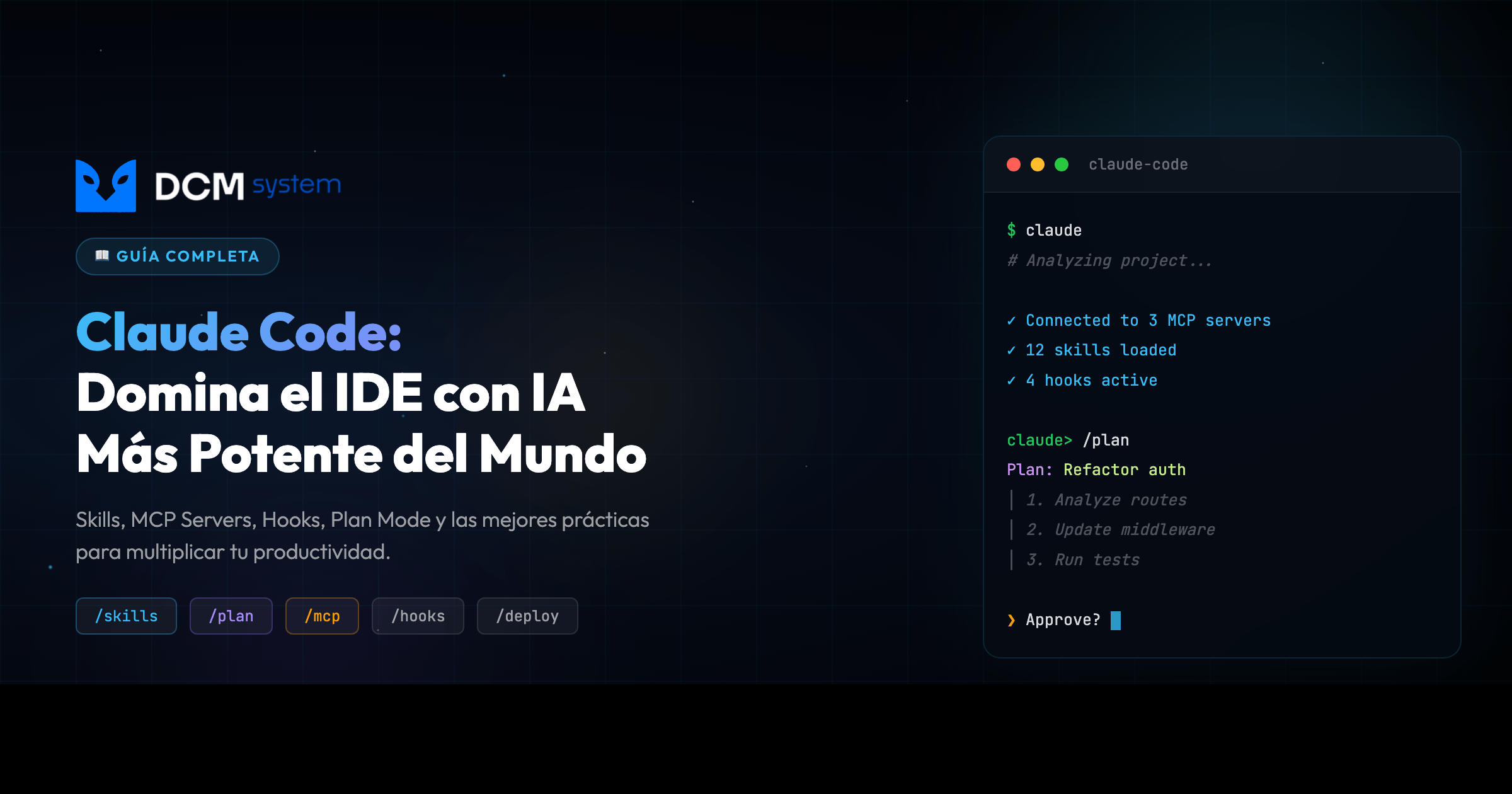
Inicio  /  Insights  /  Guía Completa de Claude Code: Cómo Usar el IDE con IA Más Potente del MundoComplete Claude Code Guide: How to Use the World's Most Powerful AI IDE

Guía Completa de Claude Code: Cómo Usar el IDE con IA Más Potente del Mundo Complete Claude Code Guide: How to Use the World's Most Powerful AI IDE

Guía Completa de Claude Code: Cómo Usar el IDE con IA Más Potente del Mundo

Claude Code en Producción

Configura el agente de IA que multiplica tu velocidad sin abrir nuevos vectores de ataque.

[DATO REAL]: Después de +12 meses usando Claude Code en producción, un skill de automatización de release bien configurado ahorra mínimo 20 minutos por deploy — y elimina los pasos de checklist que alguien siempre se salta. (DCM System, 2024-2026)

En este artículo vas a:

  • Entender qué hace diferente a Claude Code de “otro chatbot más”
  • Configurar Skills, MCP Servers, Hooks y Plan Mode con ejemplos reales
  • Evitar los 8 errores que nos costaron clientes y horas de debugging
  • Replicar el flujo exacto que usa DCM System en proyectos de producción

01 EL PROBLEMA REAL

Dos de la mañana. Un endpoint en producción devuelve 500. El tipo de bug que solo aparece con datos reales porque en local todo es perfecto, como siempre. Le di el stack trace a Claude Code, le apunté al archivo sospechoso, y en 40 segundos encontró un edge case en la validación de emails con caracteres especiales — un bypass de validación que llevaba semanas silencioso. Eso me habría costado otra hora mínimo.

Ahí dejé de tratarlo como “otro chatbot” y empecé a tratarlo como lo que es: una herramienta seria que, bien configurada, multiplica todo lo que hacés. Mal configurada, te abre la superficie de ataque.

PIÉNSALO ASÍ

Claude Code sin configurar es como un consultor que llega el primer día sin saber nada del proyecto. Con un CLAUDE.md bien escrito y skills personalizados, es alguien que ya hizo el reconocimiento completo: sabe dónde están los archivos críticos, qué convenciones seguís, qué no debe tocar. La diferencia entre un junior perdido y un senior productivo.

Antes El costo Después
Claude Code sin configurar Respuestas genéricas, contexto perdido cada sesión CLAUDE.md + Skills: agente que conoce tu codebase
Plan Mode desactivado Bug silencioso en módulo de IVA — clientes facturados mal Plan Mode obligatorio: Claude analiza antes de tocar nada

02 POR QUÉ PASA

La mayoría usa Claude Code como un chatbot de lujo: le pasan código, piden que “lo arregle”, y confían en que el resultado está bien. Eso produce tres problemas reales:

Código generado sin revisión: Claude generó una query que funcionaba en desarrollo pero en producción, con 50K registros, era un full table scan que tumbaba la base de datos. Sin revisión humana, ese tipo de bug pasa.

Sin Plan Mode: En un proyecto de facturación electrónica, dejamos que Claude refactorizara un módulo de impuestos sin plan previo. Tests en verde. Todo bien. Excepto que rompió silenciosamente un cálculo de IVA que solo se manifestó cuando un cliente reportó facturas mal calculadas. Un bug silencioso, el más peligroso.

Configuración por defecto = superficie de ataque abierta: Permisos amplios (Edit(src/**), Bash(*)), secrets hardcodeados en mcp.json, modo auto en entornos sensibles. La herramienta que te ayuda con el código puede, mal configurada, ejecutar comandos sin confirmación a las 2am cuando estás cansado.


03 LA SOLUCIÓN

Claude Code es un agente autónomo que puede leer y editar múltiples archivos, ejecutar comandos en tu terminal, crear commits y pull requests, buscar en tu codebase con regex avanzado, y conectarse a bases de datos y APIs externas. Corre como CLI, app de escritorio (Mac/Windows), app web en claude.ai/code, y extensión para VS Code y JetBrains.

La flexibilidad de saltar entre terminal, escritorio, navegador o IDE sin perder el hilo importa en un CTF o en un deploy de emergencia.

Instalación

npm install -g @anthropic-ai/claude-code
cd tu-proyecto
claude
claude /init

Cuando corrés /init, Claude escanea tu proyecto y crea un CLAUDE.md con contexto sobre tu arquitectura, stack y convenciones. Ese archivo es oro — es el reconocimiento completo del terreno antes de operar.

Comandos esenciales

Gestión de sesión:

Comando Función
/help Mostrar todos los comandos disponibles
/clear Limpiar historial de conversación
/compact Comprimir conversación para ahorrar tokens
/cost Ver costo acumulado de la sesión
/memory Ver y editar la memoria persistente

Desarrollo:

Comando Función
/plan Entrar en modo planificación (analiza antes de editar)
/checkpoint Crear o restaurar puntos de guardado
/pr Crear o revisar pull requests
/review Revisar un PR de GitHub con análisis detallado
/commit Crear commit con mensaje descriptivo

Configuración:

Comando Función
/init Inicializar CLAUDE.md para el proyecto
/mcp Gestionar servidores MCP (bases de datos, APIs)
/hooks Configurar automatizaciones pre/post acciones
/skills Listar y gestionar skills personalizados

Atajos de teclado — la diferencia entre 3 segundos y 0.3 segundos, repetida 200 veces al día, son minutos de tu vida:

Atajo Acción
Ctrl+C Cancelar operación actual
Ctrl+D Salir de la sesión
Shift+Enter Nueva línea sin enviar
Ctrl+R Buscar en historial
Ctrl+A / Ctrl+E Inicio / fin de línea
Ctrl+U Borrar línea completa

En VS Code: Cmd+Shift+L. En JetBrains: Ctrl+Shift+L.

Skills: superpoderes personalizados

Los skills son módulos reutilizables — archivos Markdown con instrucciones que Claude sigue cuando los activás. Viven en .claude/skills/ (proyecto) o ~/.claude/skills/ (global). Es un runbook que se ejecuta solo.

# .claude/skills/code-review/prompt.md
---
name: Code Review de Seguridad
trigger: "/security-review"
---

Eres un asistente de seguridad. Analiza el código buscando:

1. **Inyección SQL** — queries sin parametrizar
2. **XSS** — inputs sin sanitizar en el DOM
3. **Secrets expuestos** — tokens, passwords en código
4. **OWASP Top 10** — todas las vulnerabilidades comunes
5. **Dependencias vulnerables** — paquetes desactualizados

Para cada hallazgo: Severidad, Archivo y línea, Código vulnerable, Corrección recomendada.

IMPORTANTE: Este análisis es primera línea de defensa, NO reemplazo de auditoría profesional.

Nota crítica: Un skill de security review con IA es como un sistema de alarmas: te avisa de muchas cosas, pero un atacante profesional lo puede evadir. Los LLMs tienen falsos negativos y falsos positivos. Complementá siempre con herramientas SAST/DAST (Semgrep, Snyk, SonarQube), auditorías manuales, y pen testing periódico.

Ejemplos de skills que podés armar para tu equipo:

Skill Propósito
/code-review Revisión de calidad y mejores prácticas
/test-generator Generar tests unitarios desde un archivo
/commit-smart Mensajes de commit descriptivos automáticos
/api-design Revisión de diseño REST/GraphQL
/refactor Sugerencias de refactorización
/docs-sync Actualizar documentación desde el código

La ventaja: cada equipo arma su propio set según su stack y convenciones. No hay un “skill correcto” — hay el skill que resuelve TU dolor repetitivo.

También podés crear meta-skills que agrupan varios relacionados bajo un mismo trigger:

# .claude/skills/fullstack-review/prompt.md
---
name: Fullstack Review
trigger: "/fullstack-review"
---

Activa una revisión completa del cambio:
- Code review de backend (seguridad + arquitectura)
- Code review de frontend (accesibilidad + performance)
- Verificación de tests unitarios y de integración
- Revisión de documentación actualizada

MCP Servers: conecta Claude a tu infraestructura

El Model Context Protocol (MCP) transforma a Claude de “asistente que lee código” a “agente que opera dentro de tu infraestructura”. Es escalar privilegios, pero de forma controlada y legítima.

{
  "mcpServers": {
    "postgres": {
      "command": "npx",
      "args": ["@modelcontextprotocol/server-postgres"],
      "env": {
        "DATABASE_URL": "${DATABASE_URL}"
      }
    },
    "github": {
      "type": "http",
      "url": "https://api.github.com/mcp"
    }
  }
}

Importante: Nunca hardcodees credenciales en archivos de configuración. El archivo .claude/mcp.json puede acabar en tu repositorio. Tratá su contenido como si fuera público, porque eventualmente lo será. Usá variables de entorno (${DATABASE_URL}), .env excluido de git, o HashiCorp Vault.

Servidores MCP populares:

Servidor Qué hace
PostgreSQL Consultas directas a tu base de datos
GitHub Gestión de repos, issues y PRs
Slack Enviar mensajes y notificaciones
Sentry Monitoreo de errores en producción
n8n Automatización de workflows

Le podés decir: “Mostrá los últimos 10 errores de Sentry y buscá en el código la causa raíz” — Claude va a Sentry, jala los errores, busca en tu codebase, correlaciona, y propone un fix. Sin que vos cambiés de pestaña.

Hooks: automatización inteligente

Los hooks interceptan las acciones de Claude antes o después de cada operación. Si alguna vez configuraste git hooks o middleware en un servidor web, es exactamente eso.

Eventos disponibles:

Evento Cuándo se activa
PreToolUse Antes de ejecutar cualquier herramienta
PostToolUse Después de ejecutar una herramienta
SessionStart Al iniciar una nueva sesión
UserPromptSubmit Antes de procesar tu mensaje
FileChanged Cuando un archivo se modifica externamente

Auto-formatear después de editar:

{
  "hooks": {
    "PostToolUse": [
      {
        "matcher": "Edit",
        "hooks": [{
          "type": "command",
          "command": "npx prettier --write \"${FILE_PATH}\""
        }]
      }
    ]
  }
}

Proteger archivos de producción:

{
  "hooks": {
    "PreToolUse": [
      {
        "matcher": "Bash",
        "hooks": [{
          "type": "command",
          "command": "./scripts/protect-production.sh"
        }]
      }
    ]
  }
}

Seguridad en hooks: Siempre encerrá las variables como ${FILE_PATH} entre comillas dobles. Un nombre de archivo malicioso como file; rm -rf / ejecutaría comandos arbitrarios sin sanitización. Los hooks corren comandos reales en tu sistema — tratalos con el mismo rigor que un script de CI/CD con permisos elevados.

Plan Mode: pensá antes de actuar

Desde el incidente del módulo de IVA, Plan Mode es obligatorio para cualquier cosa no trivial.

Cuándo usarlo: refactorizaciones multi-archivo, cambios arquitecturales, código sensible a seguridad, primera vez en un codebase desconocido.

/plan

# O permanentemente en settings.json:
{
  "permissions": {
    "default": "plan"
  }
}

Flujo: Claude analiza los archivos afectados → presenta plan paso a paso → vos revisás → Claude ejecuta → podés pausar en cualquier momento. Los 5 minutos de revisión te ahorran horas de debugging.

CLAUDE.md: tu manual de instrucciones

Después de meses de uso, el CLAUDE.md es probablemente lo más importante de toda la configuración:

Archivo Alcance
~/.claude/CLAUDE.md Global — todas tus sesiones
PROYECTO/CLAUDE.md Proyecto — solo este repositorio
.claude/rules/*.md Reglas modulares por dominio

Ejemplo profesional:

# Proyecto: API de Facturación

## Stack
- Node.js 20 + TypeScript 5.4
- PostgreSQL 16 con Prisma ORM
- Express.js + Zod para validación

## Convenciones
- Async/await (nunca callbacks)
- Variables en camelCase, archivos en kebab-case
- Todos los endpoints requieren autenticación

## Seguridad (OBLIGATORIO)
- NUNCA hardcodear secrets en código
- Toda query SQL debe usar parámetros
- Validar TODOS los inputs con Zod
- Rate limiting en todos los endpoints públicos

## Deploy
- Staging: branch develop → auto-deploy
- Producción: PR a main → aprobación requerida

04 MEJORES PRÁCTICAS DE SEGURIDAD Y CÓDIGO

Un agente con acceso a tu codebase, tu base de datos y tu terminal es poder real. Y el poder real exige disciplina real. Estas son las prácticas que convierten a Claude Code de “juguete productivo” en herramienta de producción segura.

Seguridad: tratá al agente como un usuario privilegiado

1. Principio de mínimo privilegio

Claude Code NO necesita acceso a todo tu sistema. Configurá permisos quirúrgicos en settings.json:

{
  "permissions": {
    "default": "plan",
    "allow": {
      "Edit": ["src/**", "tests/**", "docs/**"],
      "Bash": ["npm test", "npm run lint", "git status", "git diff"]
    },
    "deny": {
      "Edit": [".env*", ".claude/mcp.json", "**/secrets/**"],
      "Bash": ["rm -rf *", "git push", "curl * | sh", "sudo *"]
    }
  }
}

El default: plan hace que cualquier acción no listada requiera tu aprobación explícita. Las deny lists son absolutas — ni siquiera en modo auto puede saltárselas.

2. Secrets management: la regla de oro

Nunca hardcodees credenciales. Ni siquiera “temporalmente”. Los repositorios se clonan, los backups se filtran, los colaboradores cambian:

# ❌ MAL — credencial en claro
DATABASE_URL="postgres://admin:Pass123@prod-db:5432/app"

# ✅ BIEN — referencia a variable de entorno
DATABASE_URL="${DATABASE_URL}"  # valor en .env excluido de git

Para equipos: HashiCorp Vault, AWS Secrets Manager, Doppler o 1Password CLI. Para solo: .env con .gitignore estricto, pre-commit con Gitleaks, y rotación periódica.

3. MCPs con scope mínimo

Cuando conectás MCPs a bases de datos, creá un usuario específico de solo lectura:

-- Usuario readonly para el MCP de Claude
CREATE USER claude_readonly WITH PASSWORD 'rotate-monthly';
GRANT CONNECT ON DATABASE production TO claude_readonly;
GRANT USAGE ON SCHEMA public TO claude_readonly;
GRANT SELECT ON ALL TABLES IN SCHEMA public TO claude_readonly;
-- Sin INSERT, UPDATE, DELETE, TRUNCATE, DROP

Si Claude “necesita escribir”, escribe vía PR en código versionado — no con query directa a producción.

4. Audita tus hooks como código productivo

Los hooks ejecutan comandos reales en tu máquina en cada operación. Son código que corre sin revisión humana. Tratalos con el mismo rigor que tu pipeline de CI/CD:

  • Siempre encerrá variables entre comillas dobles ("$VAR", nunca $VAR) — un nombre de archivo con ; rm -rf / ejecuta comandos arbitrarios
  • Usá rutas absolutas a scripts (/usr/local/bin/..., no ./scripts/...)
  • Loggea cada invocación para auditoría forense
  • Los hooks se versionan en git — revisalos en PR como cualquier otro cambio

5. Plan Mode obligatorio en zonas sensibles

Configurá Plan Mode como default en repositorios con código crítico (auth, pagos, datos personales, infraestructura):

{
  "permissions": {
    "default": "plan"
  },
  "autoApprove": false
}

Los 60 segundos extra de revisión del plan son el seguro más barato contra una refactorización que rompe el cálculo de impuestos en silencio.

6. Logs de sesión y auditoría

Activá el log completo de cada sesión. Si algo sale mal, necesitás saber exactamente qué pidió el agente, qué ejecutó y qué respondió:

{
  "logging": {
    "sessionLog": true,
    "logPath": "~/.claude/logs/",
    "redactSecrets": true
  }
}

En equipos regulados (fintech, salud), esos logs son evidencia para auditorías de cumplimiento (SOC 2, ISO 27001, HIPAA).

7. Supply chain: revisá los MCPs de terceros

Un MCP de terceros es código que corre con acceso a tu infraestructura. Antes de instalar uno:

  • ¿Quién lo mantiene? ¿Es el autor oficial del servicio o un tercero?
  • ¿Cuándo fue la última actualización? ¿Tiene CVE abiertos?
  • ¿Qué permisos pide? ¿Lee más de lo necesario?
  • ¿Lo escaneaste con npm audit / pip-audit / trivy antes de correrlo?

Preferí MCPs oficiales. Cuando uses uno de la comunidad, pinealo a un hash específico — no a latest.

Programación: disciplina que multiplica la IA

1. Plan Mode primero, código después

Antes de cualquier cambio no trivial: /plan. Dos minutos de planificación tienen costo cero comparado con revertir un refactor que rompió tres módulos. La IA es rápida ejecutando — vos sos quien valida que lo ejecutado sea lo correcto.

2. Commits atómicos, no “mega-commits”

Un commit = un cambio lógico. No aceptés de Claude “todo mi refactor en un commit gigante”:

# ❌ MAL
git commit -m "refactor completo del módulo de auth + tests + docs"

# ✅ BIEN — cambios atómicos, revisables, reversibles
git commit -m "refactor(auth): extract token validation to service"
git commit -m "test(auth): add coverage for token edge cases"
git commit -m "docs(auth): update JWT flow diagram"

Si algo rompe, revertís el commit específico — no perdés las mejoras colaterales. Conventional Commits (feat:, fix:, refactor:) te dan historial auto-documentado.

3. Tests antes del refactor, siempre

Pedile a Claude explícitamente: “Antes de refactorizar, asegurate de que los tests existentes cubren el comportamiento crítico. Si no, escribí los tests primero y corrélos en verde. Solo entonces refactorizá.” Es TDD forzado a un agente que, sin disciplina, te va a borrar tests “por limpieza”.

4. Revisión humana obligatoria

Todo output de IA pasa por revisión humana antes de mergear. Sin excepciones. Configurá tu repo con branch protection:

  • PRs requieren 1+ aprobaciones humanas
  • Bloqueo de push directo a main
  • CI corre tests, linter y type checker antes de permitir merge
  • Escaneo de secrets en pre-commit (Gitleaks, TruffleHog, git-secrets)
  • Análisis estático (Semgrep, SonarQube) y de dependencias (Snyk, Dependabot)

5. CLAUDE.md como fuente única de verdad

El CLAUDE.md no es documentación pasiva — es configuración activa del agente. Cuando cambian las reglas del proyecto, se actualiza en el mismo PR. Cuando alguien entra al equipo, es lo primero que lee. Cuando Claude se equivoca, es lo primero que revisás para ver qué contexto le faltó.

6. Skills específicos, no “mega-skills”

Un skill que hace 20 cosas se vuelve impreciso y difícil de mantener. Preferí skills atómicos:

❌ /full-review (code + security + tests + docs + deploy)
✅ /code-review   → revisión de calidad
✅ /security-scan → solo seguridad
✅ /test-coverage → solo cobertura

La composición es más poderosa que el monolito. Igual que en arquitectura de software: funciones pequeñas, bien nombradas, con una sola responsabilidad.

7. Checkpoints antes de operaciones destructivas

Antes de cualquier refactor grande, migración de base de datos o cambio arquitectural:

/checkpoint save "pre-refactor-auth-$(date +%Y%m%d-%H%M)"

Si algo explota, /checkpoint restore te devuelve a un estado conocido sano en un segundo. Es git stash, pero para el estado completo del agente (contexto, archivos, configuración).

8. Nunca desactivés los hooks de pre-commit

Los flags --no-verify, --no-gpg-sign existen para emergencias reales, no para “a Claude le dio error el linter”. Si el pre-commit falla, arreglá la causa raíz — no la silenciés. Un commit mal formado es deuda técnica; un commit sin firmar es un problema de trazabilidad que te va a doler en la próxima auditoría.

9. Context window management

Los LLMs degradan con contextos muy largos. Cuando una sesión pasa las 2-3 horas, Claude empieza a “olvidar” decisiones tomadas al inicio. Estrategia:

  • /compact cada hora para comprimir conversación sin perder contexto clave
  • /clear + nuevo CLAUDE.md actualizado cuando cambia el dominio del problema
  • Sesiones cortas y enfocadas > sesiones maratón

10. Error handling, no error hiding

Cuando Claude genera código, revisá específicamente el manejo de errores. Los LLMs tienden a:

  • Envolver todo en try/catch vacíos que silencian errores reales
  • Loggear y continuar cuando deberían fallar rápido (fail-fast)
  • Inventar códigos de error HTTP (404 para errores de validación que son 400)

Pedile explícitamente: “No silencies errores. Si algo puede fallar, propagá el error con contexto. Si tiene que cortar el flujo, cortalo.”

REGLA DE ORO

Un agente de IA con acceso a tu infraestructura es como un nuevo miembro del equipo en su primer día: puede hacer mucho bien o mucho daño, según cuánto contexto y cuántos límites le diste. La configuración de seguridad NO es opcional — es el trabajo mismo. Si no tenés tiempo para configurar permisos, tampoco tenés tiempo para debuggear un rm -rf / a las 3am.


05 CÓMO IMPLEMENTARLO

  1. Instalá Claude Code y corrés /init en tu proyecto principal
  2. Escribí tu CLAUDE.md con stack, convenciones y reglas de seguridad — invertí al menos 30 minutos, te los devuelve multiplicados por diez en la primera semana
  3. Configurá permisos en settings.json aplicando mínimo privilegio: Edit solo a los directorios que Claude debe tocar, deny explícito para rm, git push, y archivos de secrets
  4. Creá tu primer skill atómico — elegí la tarea que más repetís (code review, tests, commits descriptivos) y automatizala
  5. Conectá al menos un servidor MCP (PostgreSQL readonly o Sentry si ya los usás) para que Claude opere dentro de tu infraestructura con scope limitado
  6. Activá Plan Mode como default en settings.json — hacelo obligatorio para refactorizaciones y cambios arquitecturales, no opcional
  7. Configurá branch protection en tu repo: PR reviews + CI + escaneo de secrets antes de cualquier merge

06 ¿ES PARA TI?

Sí, si tu empresa:

  • ✅ Tiene un equipo de desarrollo que hace deploys frecuentes y quiere eliminar los pasos de checklist que siempre alguien se salta
  • ✅ Trabaja con codebases grandes (200+ archivos) donde el reconocimiento de contexto se vuelve cuello de botella
  • ✅ Tiene disciplina técnica para configurar permisos correctamente y revisar lo que el agente genera

No, si:

  • ❌ No tenés ningún desarrollador en el equipo — Claude Code amplifica lo que el ingeniero ya sabe; si sabes poco, amplifica poco
  • ❌ Buscás una herramienta que reemplace la revisión humana — el modo auto sin supervisión en producción es una bomba de tiempo, y los skills de security review tienen falsos negativos reales

Preguntas frecuentes

¿Cuánto cuesta Claude Code? Requiere suscripción a Claude (desde USD $20/mes el plan Pro). El costo de API varía según uso — el comando /cost te muestra el acumulado de la sesión. Para equipos, hay planes Team y Enterprise.

¿Es seguro darle acceso a mi base de datos? Con la configuración correcta, sí. Usás variables de entorno para las credenciales, restringís los permisos del usuario de BD que usa Claude, y lo monitoreás. Mal configurado — credenciales hardcodeadas en mcp.json, modo auto sin restricciones — sí es un riesgo real.

¿Qué pasa si Claude rompe algo? Para eso son los checkpoints. Antes de cualquier refactorización grande, creás uno: /checkpoint save "Antes del refactor de auth". Si algo sale mal, restaurás en un segundo. Claude también crea checkpoints automáticos antes de ediciones masivas, pero no te confiés solo en eso.

¿Se puede usar en equipo? Sí. El CLAUDE.md se versiona en git y se revisa en PRs. Los skills y hooks también. Cualquier archivo que controla el comportamiento del agente es configuración de seguridad — tratalos como tal.


Acción inmediata: Instalá Claude Code, corrés /init en tu proyecto principal, y escribís el CLAUDE.md hoy. No el skill, no el MCP, no los hooks — solo el CLAUDE.md. Media hora. Es el cambio con mayor retorno de toda la configuración.

¿Quieres ayuda? → Habla con DCM — llevamos +12 años construyendo software seguro y usamos IA como herramienta, no como reemplazo.

Here’s the thing nobody talks about: you just gave an AI agent root-level access to your codebase. It can read your files, execute shell commands, push code to production. And most developers set it up with the security posture of a screen door on a submarine.

Claude Code by Anthropic is the most powerful AI development tool available today. It’s also the most dangerous if you don’t understand what you’re configuring — and the security vulnerabilities in AI-generated code make proper configuration non-negotiable. This is the guide we wish existed when we started — written from 12+ years of building software at DCM System, where we’ve seen what happens when teams deploy tools without understanding their attack surface.

What is Claude Code?

Claude Code is Anthropic’s autonomous development agent. Not a chatbot. Not an autocomplete. An agent — one that operates across your terminal CLI, native desktop app (Mac/Windows), web interface at claude.ai/code, and IDE extensions for VS Code and JetBrains. It can:

  • Read and edit multiple files simultaneously
  • Execute commands in your terminal
  • Create commits, branches, and pull requests
  • Search your codebase with advanced regex
  • Connect to databases, APIs, and external services
  • Plan complex changes before executing them

Read that list again. Slowly. That’s a lot of power to hand over to any process — human or AI. The rest of this guide is about wielding that power without shooting yourself in the foot.

Quick Installation

# Install globally
npm install -g @anthropic-ai/claude-code

# Start in your project
cd your-project
claude

# Initialize project configuration
claude /init

Running /init makes Claude analyze your project and create a CLAUDE.md file with context about your architecture, tech stack, and coding conventions. Think of it as giving the agent a briefing document before an operation. Without it, you’re deploying a powerful tool with zero context. That’s how mistakes happen.

Essential Commands (Slash Commands)

Slash commands are your control interface. Learn them like you’d learn keyboard shortcuts in vim — they’re the difference between fumbling around and operating at speed.

Session Management

Command Function
/help Show all available commands
/clear Clear conversation history
/compact Compress conversation to save tokens
/cost View accumulated session cost
/memory View and edit persistent memory

Development

Command Function
/plan Enter planning mode (analyze before editing)
/checkpoint Create or restore file save points
/pr Create or review pull requests
/review Review a GitHub PR with detailed analysis
/commit Create a commit with descriptive message

Configuration

Command Function
/init Initialize CLAUDE.md for the project
/mcp Manage MCP servers (databases, APIs)
/hooks Configure pre/post action automations
/skills List and manage custom skills

Keyboard Shortcuts

Speed matters. Not for showing off — for flow state. Every time you reach for the mouse, you break concentration. These shortcuts keep you in the zone:

Shortcut Action
Ctrl+C Cancel current operation
Ctrl+D Exit session
Shift+Enter New line without sending
Ctrl+R Search history
Ctrl+A / Ctrl+E Start / end of line
Ctrl+U Delete entire line

In VS Code: Cmd+Shift+L opens the Claude panel. In JetBrains: Ctrl+Shift+L opens the Claude panel.

Skills: Custom Superpowers

Skills are where things get interesting. They’re reusable instruction modules that extend what Claude can do — think of them as custom payloads you load for specific missions.

How do they work?

A skill is a Markdown file with instructions that Claude follows when activated. They live in .claude/skills/ (project) or ~/.claude/skills/ (global). Simple concept. Massive implications. You’re essentially programming the agent’s behavior through natural language.

Create your first skill

# .claude/skills/code-review/prompt.md
---
name: Security Code Review
trigger: "/security-review"
---

You are a security expert. Analyze the provided code looking for:

1. **SQL Injection** — unparameterized queries
2. **XSS** — unsanitized inputs in the DOM
3. **Exposed Secrets** — tokens, passwords in code
4. **OWASP Top 10** — all common vulnerabilities
5. **Vulnerable Dependencies** — outdated packages

For each finding, show:
- Severity (Critical/High/Medium/Low)
- File and line
- Vulnerable code
- Recommended fix

IMPORTANT: This analysis is a complement, NOT a replacement for
professional security auditing. Always validate findings with a
security engineer.

Let’s be real here: An AI security review is like a smoke detector — it’ll catch obvious fires, but it won’t stop an arsonist. LLMs miss things. They hallucinate findings that don’t exist. They give you a clean bill of health while a critical vuln sits right there in plain sight. We’ve seen it happen. Always back this up with proper SAST/DAST tools (Semgrep, Snyk, SonarQube), manual audits by someone who thinks like an attacker, and periodic pen testing. We break down the most common AI code vulnerabilities and how to catch them in our AI code security deep dive.

Example skills you can build

Skill Purpose
/code-review Quality and best-practices review
/test-generator Generate unit tests from a file
/commit-smart Auto-generate descriptive commit messages
/api-design REST/GraphQL design review
/refactor Refactoring suggestions
/docs-sync Update documentation from code

The point: every team builds their own set based on their stack and conventions. There’s no “right skill” — there’s the skill that solves YOUR repetitive pain.

Grouping Skills

You can create meta-skills that chain capabilities together. Same idea as importing multiple modules — one command loads a full toolkit:

# .claude/skills/fullstack-review/prompt.md
---
name: Fullstack Review
trigger: "/fullstack-review"
---

Run a complete review of this change:
- Backend code review (security + architecture)
- Frontend code review (accessibility + performance)
- Unit and integration test verification
- Documentation update check

MCP Servers: Connect Claude to Everything

The Model Context Protocol (MCP) is how Claude reaches beyond your local filesystem. Think of it as giving the agent network access — to your databases, APIs, third-party services. Powerful. And yes, that should make you slightly nervous.

Configure an MCP server

Create or edit .claude/mcp.json in your project:

{
  "mcpServers": {
    "postgres": {
      "command": "npx",
      "args": ["@modelcontextprotocol/server-postgres"],
      "env": {
        "DATABASE_URL": "${DATABASE_URL}"
      }
    },
    "github": {
      "type": "http",
      "url": "https://api.github.com/mcp"
    }
  }
}

This is where people get breached. Never hardcode credentials in configuration files. Period. Use environment variables (${DATABASE_URL}) and manage your secrets with .env files (excluded from git), AWS Secrets Manager, or HashiCorp Vault. The .claude/mcp.json file can end up in your repository. Treat its contents as if they’re already on Pastebin. Because one bad commit and they’ll be.

Popular MCP servers

Server What it does
PostgreSQL Direct queries to your database
GitHub Repo, issue, and PR management
Slack Send messages and notifications
Sentry Production error monitoring
n8n Workflow automation
Canva Design and media export

With MCP, you can tell Claude: “Show me the last 10 errors from Sentry and search the code for the root cause” — and it’ll query Sentry, search your code, and propose a fix. That’s not a party trick. That’s a real-time incident response workflow that used to take an engineer 30 minutes, happening in seconds.

Hooks: Intelligent Automation

Hooks intercept Claude’s actions and execute custom logic before or after each operation. If you’ve ever written git hooks or CI pipeline steps, same concept. Except now they’re triggering on AI agent behavior.

Available events

Event When it triggers
PreToolUse Before executing any tool
PostToolUse After executing a tool
SessionStart When starting a new session
UserPromptSubmit Before processing your message
FileChanged When a file is modified externally

Example: Auto-format after editing

{
  "hooks": {
    "PostToolUse": [
      {
        "matcher": "Edit",
        "hooks": [{
          "type": "command",
          "command": "npx prettier --write \"${FILE_PATH}\""
        }]
      }
    ]
  }
}

This is a command injection surface. Always wrap variables like ${FILE_PATH} in double quotes. A malicious filename like file; rm -rf / will execute arbitrary commands if you don’t sanitize. We’ve debugged hooks that looked innocent but were wide open to path traversal. Hooks run real shell commands — treat them with the same paranoia you’d give a CI/CD pipeline that accepts external input.

Example: Protect production files

{
  "hooks": {
    "PreToolUse": [
      {
        "matcher": "Bash",
        "hooks": [{
          "type": "command",
          "command": "./scripts/protect-production.sh"
        }]
      }
    ]
  }
}

Plan Mode: Think Before You Act

Plan Mode is your kill switch for reckless AI behavior. Claude analyzes your code, designs a detailed plan, and waits for your explicit approval before touching anything. It’s the difference between “move fast and break things” and “move fast and know exactly what you’re breaking.”

When to use Plan Mode

  • Refactoring that affects multiple files
  • Important architectural changes
  • Security-sensitive code
  • First time working with an unfamiliar codebase

If you’re about to let an AI modify code you don’t fully understand yet — Plan Mode. No exceptions.

How to activate it

# In conversation
/plan

# Or permanently in settings.json
{
  "permissions": {
    "default": "plan"
  }
}

Plan Mode workflow

  1. Claude analyzes affected files
  2. Presents a step-by-step plan with proposed changes
  3. You review and approve (or adjust)
  4. Claude executes the plan
  5. You can pause at any point

That pause capability matters more than you think. We’ve caught architectural mistakes at step 3 that would’ve cascaded into days of cleanup. Five minutes of review beats five hours of git archaeology every single time.

Subagents: Divide and Conquer

Subagents are separate Claude instances that work in parallel on specific tasks without burning your main context window. Think of them as worker threads — isolated, focused, disposable.

Ideal use cases

  • Research: “Investigate how authentication works in this project”
  • Code review: Review changes while you keep coding
  • Testing: Run tests in parallel
  • Exploration: Search for patterns in a large codebase

How they work

Claude automatically decides when to launch a subagent. You can also force it with specific instructions:

"Use a subagent to explore all API routes
in the project and give me a summary"

The subagent works independently and reports findings when finished. Your main context stays clean. This is especially valuable when you’re deep in a complex task and need intel without losing your train of thought.

CLAUDE.md: Your Instruction Manual

The CLAUDE.md file is the permanent context Claude reads at the start of every session. It’s your agent’s operating manual. Its rules of engagement. Get this wrong and every session starts with the agent guessing at your conventions, your security posture, your architecture. Get this right and it’s like onboarding a new team member who actually reads the docs.

Configuration levels

File Scope
~/.claude/CLAUDE.md Global — all your sessions
PROJECT/CLAUDE.md Project — this repository only
.claude/rules/*.md Modular rules by domain

Professional CLAUDE.md example

# Project: Billing API

## Tech Stack
- Node.js 20 + TypeScript 5.4
- PostgreSQL 16 with Prisma ORM
- Express.js + Zod for validation
- Jest for testing

## Conventions
- Code always in strict TypeScript
- Async/await (never callbacks)
- Variable names in camelCase
- Files in kebab-case
- All endpoints require authentication

## Security (MANDATORY)
- NEVER hardcode secrets in code
- All SQL queries must use parameters
- Validate ALL inputs with Zod
- Rate limiting on all public endpoints

## Deploy
- Staging: develop branch → auto-deploy
- Production: PR to main → approval required

Permission Management

This is where you define your agent’s sandbox. Get this wrong and you’ve essentially granted privilege escalation to an AI process. Get this right and you’ve got defense in depth.

Mode Behavior For whom Risk
plan Analyze and request approval Critical changes Low
auto Auto-approve safe operations Local dev with allowlist Medium
dontAsk Only pre-approved tools Corporate environments Low

Real talk: auto mode can execute commands without confirmation. That’s like running an untrusted binary with sudo. Use it only in local development and always with a restrictive allowlist. On a staging or production server? Never. Not once. Not even “just to test something quickly.”

Configure it in settings.json applying the principle of least privilege — the same principle that keeps Linux servers alive:

{
  "permissions": {
    "allow": [
      "Bash(npm run test:*)",
      "Bash(npm run lint:*)",
      "Read(src/**)",
      "Edit(src/features/**)",
      "Edit(src/components/**)"
    ],
    "deny": [
      "Bash(rm *)",
      "Bash(git push *)",
      "Edit(.env*)",
      "Edit(src/config/secrets*)"
    ]
  }
}

Notes on permissions:

  • Restrict Edit to specific directories instead of src/**. Granting Edit on your entire source tree is like leaving your front door open with a sign that says “please don’t enter” — technically a boundary, practically useless. Restrict it to prevent Claude from accidentally modifying configuration files, database migrations, or infrastructure scripts.
  • Use deny for destructive operations like rm, git push --force, or editing files with secrets. Think of the deny list as your firewall rules.
  • Limit Bash to explicit commands instead of broad patterns. Bash(npm run *) is better than Bash(*), but Bash(npm run test:*) is even better. Least privilege. Always.

Checkpoints: Your Safety Net

Checkpoints create snapshots of your files before important changes. It’s your rollback mechanism. Your undo button for when the AI confidently refactors 20 files and introduces a subtle regression that won’t show up until Thursday.

# Create manual checkpoint
/checkpoint save "Before auth refactor"

# View available checkpoints
/checkpoint list

# Restore a checkpoint
/checkpoint restore "Before auth refactor"

Claude also creates automatic checkpoints before mass edits. But don’t rely on automatic anything for your safety net. Be explicit. Name your checkpoints. Future-you will be grateful.

Professional Workflows

Fix a Bug

1. Describe the bug with context
2. Claude automatically investigates the code
3. /plan → review the fix plan
4. Approve → Claude implements the fix
5. Claude runs the tests
6. /commit → commit with descriptive message

Implement a Feature

1. Describe the requirements
2. /plan → Claude designs the architecture
3. Review and adjust the plan
4. Claude implements incrementally
5. Tests + automatic documentation
6. /pr → Pull request with detailed description

Refactor Code

1. "Show me refactoring opportunities in src/"
2. Claude analyzes with subagents
3. /plan → detailed refactoring plan
4. Step-by-step implementation
5. Tests after each change
6. Atomic commits at each logical step

Best Practices

1. Always provide context

Instead of “fix it”, say “The /api/users endpoint returns 500 when the email has special characters. Check src/routes/users.ts”. Vague prompts produce vague results. You wouldn’t file a bug report that just says “it’s broken” — don’t do it with your AI agent either.

2. Use Plan Mode for large changes

Never let Claude make massive changes without reviewing the plan first. We learned this the hard way — a 40-file refactor that looked perfect in theory but broke three downstream services. Five minutes of review. That’s all it takes.

3. Configure your CLAUDE.md

A good CLAUDE.md is the difference between Claude acting like a confused intern and a productive senior engineer who knows your codebase. We invest real time in ours. It pays back on every single session.

4. Leverage subagents

For long investigations or codebase analysis, subagents work without spending your main context. Your context window is finite and expensive. Burn it on decisions, not reconnaissance.

5. Compress regularly

Use /compact in long sessions to keep context clean and responses relevant. Think of it as garbage collection for your conversation.

6. Automate with hooks

If you always format code after editing, or always run tests — put it in a hook and forget about it. Humans forget. Automation doesn’t.

7. Connect your tools with MCP

Claude is 10x more useful when it can query your database, see your errors in Sentry, or read your Jira tickets. An agent without access to your systems is just a fancy text generator. An agent with access is an actual force multiplier.

Common Mistakes to Avoid

Before we get into how we run this in production, let’s talk about the ways people get burned. These aren’t theoretical risks — they’re patterns we’ve observed across teams, including mistakes we’ve made ourselves over the years.

1. Blindly trusting generated code

Claude is powerful, but it’s not infallible. It’ll write code that looks correct, passes a cursory glance, and hides a critical bug three layers deep. Always review, especially:

  • Database queries (does it use prepared parameters, or did it just string-concatenate your user input?)
  • Authentication and authorization handling
  • User input validation
  • Error and exception handling

Trust but verify isn’t enough here. Distrust and verify. That’s the hacker mindset.

2. Hardcoding secrets in configurations

Never put passwords, tokens, or API keys directly in mcp.json, settings.json, or any file that could end up in git. We’ve seen production database credentials sitting in public repos on GitHub. Scraped within minutes. Databases wiped within hours.

# BAD - never do this
"DATABASE_URL": "postgresql://admin:P4$$w0rd@prod-server:5432/mydb"

# GOOD - reference an environment variable
"DATABASE_URL": "${DATABASE_URL}"

3. Overly broad permissions

Granting Edit(src/**) or Bash(*) is like giving root to a process that doesn’t need it. You wouldn’t run your web server as root. Don’t give your AI agent the equivalent of chmod 777 on your project. Apply least privilege: grant only the specific permissions needed for the current task.

4. Using auto mode in sensitive environments

Auto mode is convenient for local development, but should never be used on staging or production servers. It’s the equivalent of disabling SELinux because it was “getting in the way.” In those environments, use plan or dontAsk with an audited allowlist.

5. Not versioning CLAUDE.md

Your CLAUDE.md is critical project configuration. It should be in git, reviewed in PRs, and treated with the same rigor as a Dockerfile or a CI/CD pipeline. If a change to CLAUDE.md can alter the agent’s behavior — and it absolutely can — it deserves code review. Would you merge an unreviewed change to your deployment config? Same energy.

6. Relying solely on AI for security

Security review skills are useful as a first pass, but they never replace professional tooling. LLMs have blind spots. They have zero-day blindness — they can’t catch vulnerability patterns they weren’t trained on. A vuln they miss could be the one that gets exploited at 3am on a Saturday. Always complement with SAST/DAST tools (Semgrep, Snyk, SonarQube), manual audits by someone who thinks offensively, and periodic penetration testing.

7. Not using checkpoints before large changes

If Claude is going to refactor 20 files, create a checkpoint first. The cost of prevention is zero. The cost of losing unsaved work is a story you’ll tell at the bar for years, and not the fun kind.

8. Hooks without sanitization

Hooks execute real shell commands. Variables like $FILE_PATH must always be wrapped in double quotes to prevent command injection. A maliciously crafted filename is a trivially exploitable attack vector against an unsanitized hook. This is injection 101 — the same class of vulnerability that’s been #1 on OWASP for over a decade.

Production Discipline: Advanced Security & Programming

The basics above keep you out of trouble. This section is what separates “I use Claude Code” from “I run Claude Code safely at scale in a regulated industry.” If you’re shipping code that handles money, personal data, or infrastructure — this isn’t optional.

Security: Treat the Agent as a Privileged User

1. Least-privilege MCP database users

When you connect Claude to a database via MCP, create a dedicated read-only user. Never give the agent the same credentials your app uses:

-- Read-only user scoped for the Claude MCP
CREATE USER claude_readonly WITH PASSWORD 'rotate-monthly';
GRANT CONNECT ON DATABASE production TO claude_readonly;
GRANT USAGE ON SCHEMA public TO claude_readonly;
GRANT SELECT ON ALL TABLES IN SCHEMA public TO claude_readonly;
-- No INSERT, UPDATE, DELETE, TRUNCATE, DROP

If Claude “needs to write,” it writes through a versioned PR — not through a direct query to production. The principle is the same as any service account: scope the credentials to the exact capability needed, nothing more.

2. Session logging for forensic audit

Turn on full session logging. When something goes sideways, you need to know exactly what the agent asked for, what it executed, and what came back:

{
  "logging": {
    "sessionLog": true,
    "logPath": "~/.claude/logs/",
    "redactSecrets": true
  }
}

For regulated teams (fintech, healthcare, legal), these logs are compliance evidence for SOC 2, ISO 27001, and HIPAA audits. Don’t wait for the audit to turn them on.

3. Supply chain: vet third-party MCPs

A third-party MCP is code running with access to your infrastructure. Before installing one:

  • Who maintains it? The official service provider or a random third party?
  • When was it last updated? Are there open CVEs?
  • What permissions does it request? Does it read more than necessary?
  • Did you scan it with npm audit / pip-audit / trivy before running it?

Prefer official MCPs. When you use a community one, pin it to a specific hash — never latest. The npm package ecosystem has a long history of supply-chain attacks (event-stream, ua-parser-js, colors.js). MCPs are no different.

4. Mandatory Plan Mode for sensitive zones

For repos handling auth, payments, personal data, or infrastructure — make Plan Mode the default, not an opt-in:

{
  "permissions": {
    "default": "plan"
  },
  "autoApprove": false
}

The extra 60 seconds of plan review is the cheapest insurance against a refactor that silently breaks your tax calculation module.

Programming: Discipline That Multiplies AI

1. Atomic commits, not mega-commits

One commit = one logical change. Don’t accept “my entire refactor in one giant commit” from Claude:

# BAD
git commit -m "complete refactor of auth module + tests + docs"

# GOOD — atomic, reviewable, revertable
git commit -m "refactor(auth): extract token validation to service"
git commit -m "test(auth): add coverage for token edge cases"
git commit -m "docs(auth): update JWT flow diagram"

If something breaks, you revert the specific commit — you don’t lose the collateral improvements. Conventional Commits (feat:, fix:, refactor:) give you self-documenting history.

2. Tests before the refactor, always

Tell Claude explicitly: “Before refactoring, make sure existing tests cover the critical behavior. If they don’t, write the tests first and get them green. Only then refactor.” This is TDD forced onto an agent that, without discipline, will happily delete tests “for cleanup.”

3. Context window management

LLMs degrade with very long contexts. After 2-3 hours, Claude starts “forgetting” decisions made at the start. Strategy:

  • /compact every hour to compress without losing key context
  • /clear + updated CLAUDE.md when the problem domain changes
  • Short, focused sessions beat marathon sessions

4. Error handling, not error hiding

When Claude generates code, specifically review error handling. LLMs tend to:

  • Wrap everything in empty try/catch blocks that swallow real errors
  • Log and continue where they should fail-fast
  • Invent HTTP error codes (404 for validation errors that are actually 400)

Tell it explicitly: “Don’t silence errors. If something can fail, propagate the error with context. If it needs to halt the flow, halt it.”

5. Never disable pre-commit hooks

Flags like --no-verify and --no-gpg-sign exist for real emergencies, not for “Claude’s linter complained.” If pre-commit fails, fix the root cause — don’t silence it. A malformed commit is technical debt; an unsigned commit is a traceability problem that’ll hurt in the next audit.

6. CLAUDE.md as single source of truth

CLAUDE.md isn’t passive documentation — it’s active agent configuration. When project rules change, update it in the same PR. When someone joins the team, it’s the first thing they read. When Claude gets something wrong, it’s the first place you check for missing context.

THE GOLDEN RULE

An AI agent with access to your infrastructure is like a new team member on day one: it can do a lot of good or a lot of damage, depending on how much context and how many limits you gave it. Security configuration is not optional — it is the work itself. If you don’t have time to configure permissions, you don’t have time to debug a rm -rf / at 3am.

How We Use It at DCM System

At DCM System we’ve been shipping production software for over 12 years. We’ve seen paradigm shifts come and go. Claude Code isn’t a fad — it’s a genuine capability multiplier, but only if you respect it. Here’s our setup:

  • Custom skills for content generation, automated deploy, and security audits
  • MCP servers connected to PostgreSQL, n8n, and Telegram for complete automation
  • Hooks that auto-format code and protect production files
  • Mandatory Plan Mode for any infrastructure or security changes
  • Detailed CLAUDE.md in every project with security rules, conventions, and architecture

The key insight we’ve arrived at after months of daily use: Claude Code isn’t a developer replacement. It’s a multiplier. It lets our engineers focus on architecture, security decisions, and the hard problems that actually need human judgment — while Claude handles implementation under constant human supervision. The human stays in the loop. Always. That’s not a limitation. That’s the whole point — and it’s why real engineers remain indispensable no matter how good the tooling gets.

Conclusion

Look — if you’ve made it this far, you’re not the kind of person who just installs a tool and hopes for the best. Good.

Claude Code is the most capable AI development agent available right now. It can read your code, run your commands, query your databases, and push to your repos. That’s an enormous attack surface if misconfigured, and an enormous productivity gain if set up correctly.

The difference between those two outcomes is configuration. CLAUDE.md, permissions, hooks, checkpoints, Plan Mode — these aren’t optional extras. They’re your security perimeter. Skip them and you’re flying blind with an agent that has write access to your production code.

We’ve been building software long enough to know that the best tools are also the most dangerous ones. A chainsaw cuts faster than a handsaw, but it demands more respect. Claude Code is the chainsaw. This guide is the safety manual.

Set it up right. Lock it down. Then let it rip.


At DCM System we’ve been building secure software for 12+ years. We’ve helped clients through breaches, we’ve done the incident response, we’ve rebuilt from the ashes — and we use every one of those scars to build better systems. AI is a tool in our arsenal, not a replacement for hard-won expertise. If you want to know how we can help your company adopt AI without becoming tomorrow’s headline, explore our services or contact us.

Tu proyecto merece ingenieros reales

Your project deserves real engineers

12+ años construyendo software seguro. Hablemos sobre lo que necesitas.

12+ years building secure software. Let's talk about what you need.

Iniciar Conversación Start Conversation